Know what a package change touches.
Switchyard for .NET reads the project files of your internal NuGet packages and apps and shows you which projects depend on which, what must be updated when one of them changes, and in what order to build and publish. It only reads: it never edits, commits or builds anything.
One shared library changes, and nobody knows what has to follow.
When a team keeps its own NuGet packages, a change to a low-level package has to ripple up through every package and app that uses it, in the right order. Which ones reference it directly? Which only need a rebuild because something else was republished? Which packages are still at a placeholder version, or used by nothing at all?
Switchyard answers those questions from the project files you already have, so a release is a checklist instead of an afternoon of archaeology.
What Switchyard shows you
Everything comes from scanning the folders where your repositories are cloned.
Impact
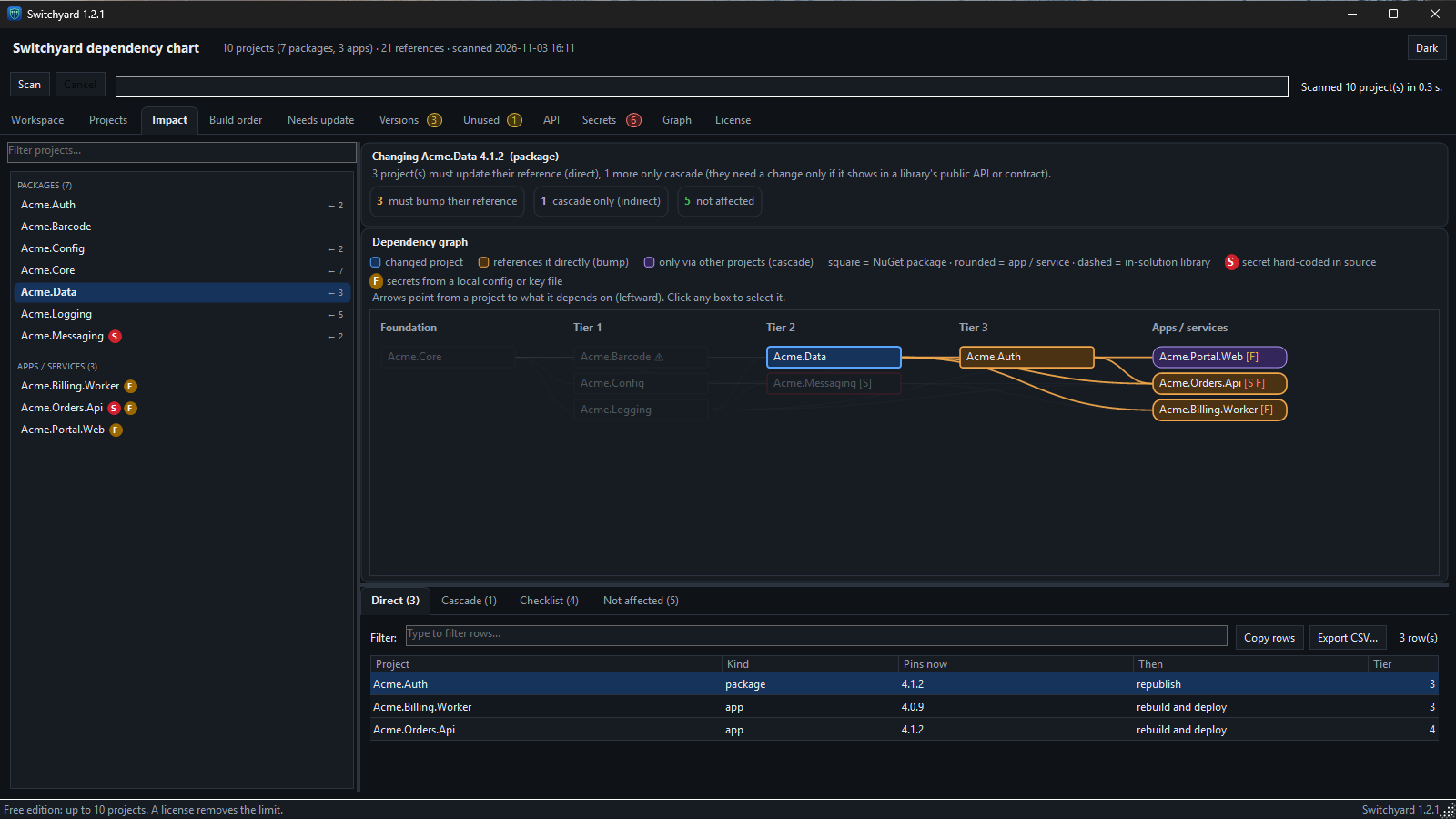
If I change this project, which projects must update their reference (direct), and which only cascade, with an ordered checklist.
Build order
Tiers of projects: everything in one tier can be built in parallel, and tier 0 has no internal dependencies. Dependency loops are called out.
Versions
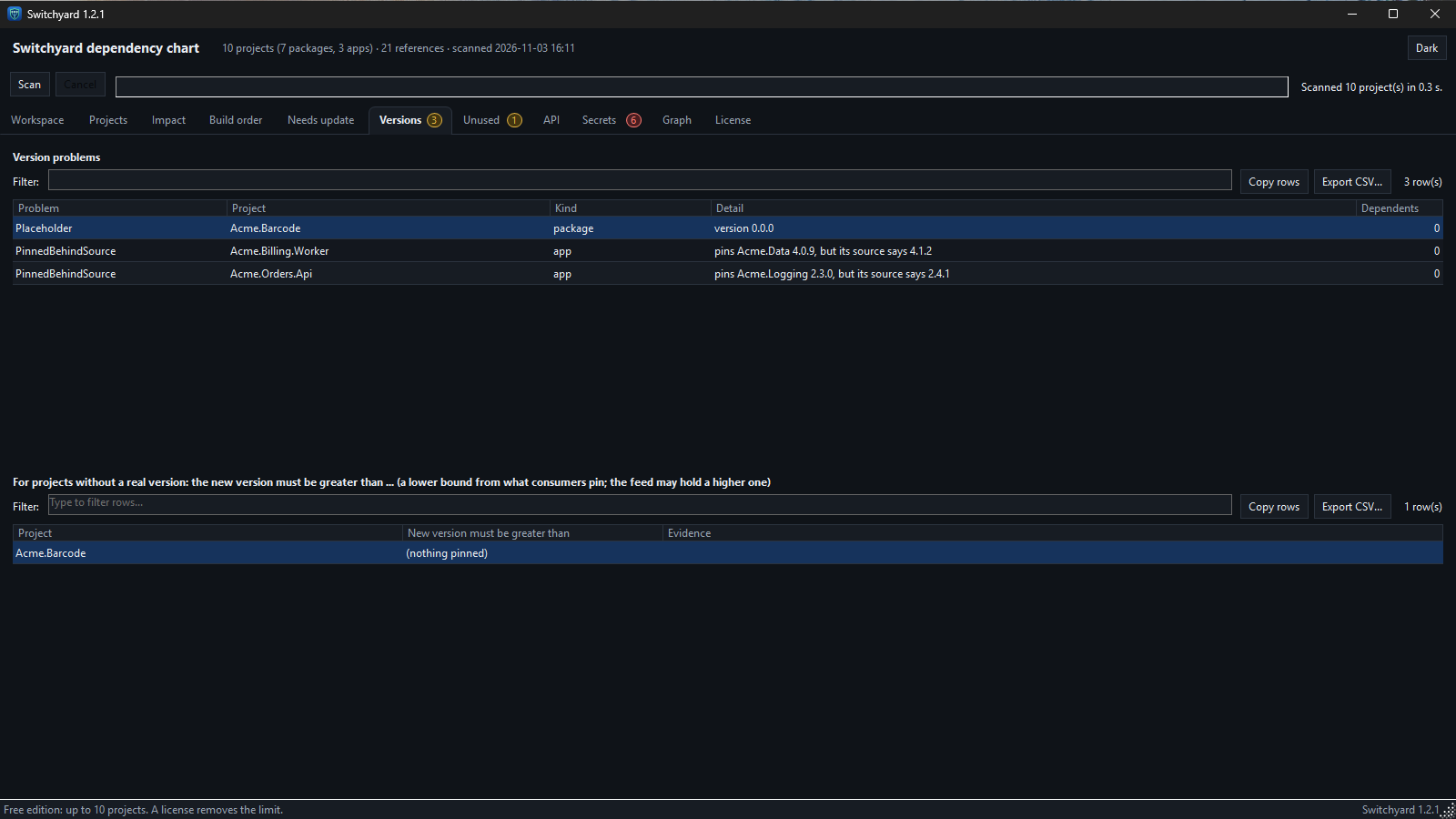
Placeholder, missing and date-style versions, floating references, and consumers pinned behind the version in source.
Unused packages
Packages that nothing references, and packages only used by other unused ones.
Needs update
With a read-only Azure DevOps token it also checks your package feed and your builds, and marks what needs a reference update, a release, or only follows once something else is released. Without a token it still shows the local git state.
API reference
Every non-private type and member of your packages with its XML documentation summary, documentation coverage per project, written out as Markdown.
Secrets in source
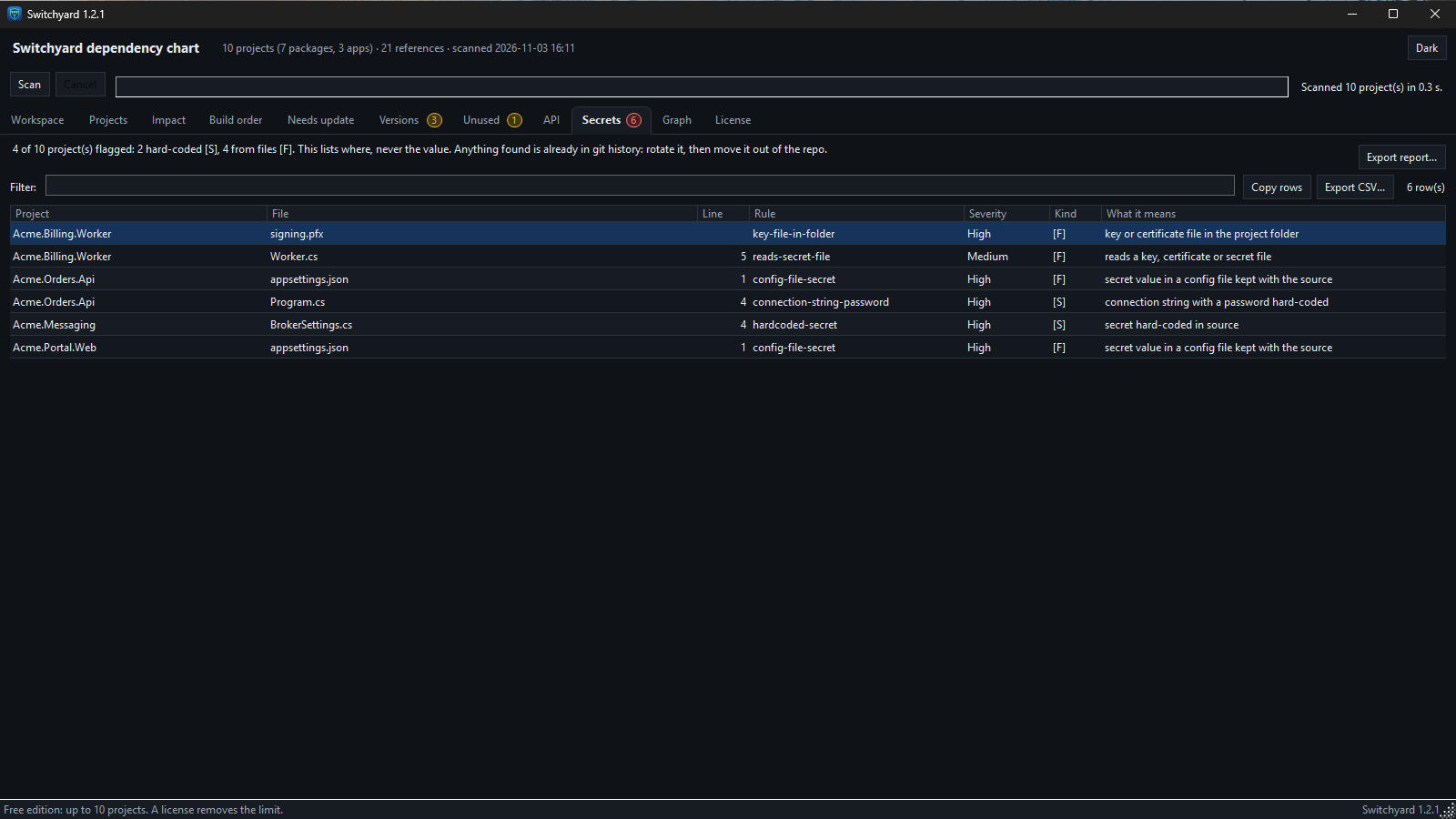
A heuristic scan for secrets left in code or config files. It reports where, never the value. It can miss things, so treat it as a second pair of eyes, not a guarantee.
See it in action
Example projects shown.
What a change touches
Pick a package and see who must update their reference, who only cascades, and who is not affected, drawn across the build-order tiers of your whole fleet, with the ordered checklist underneath.
Version problems, listed
Placeholder versions and apps that pin an older version than the one in source are listed with the project and the detail, so you know what to fix before you release.
Secrets found, never shown
The secrets scan lists the project, file, line and rule of each finding. The value itself is never displayed, copied or written to a report.
Free edition, license when you need more
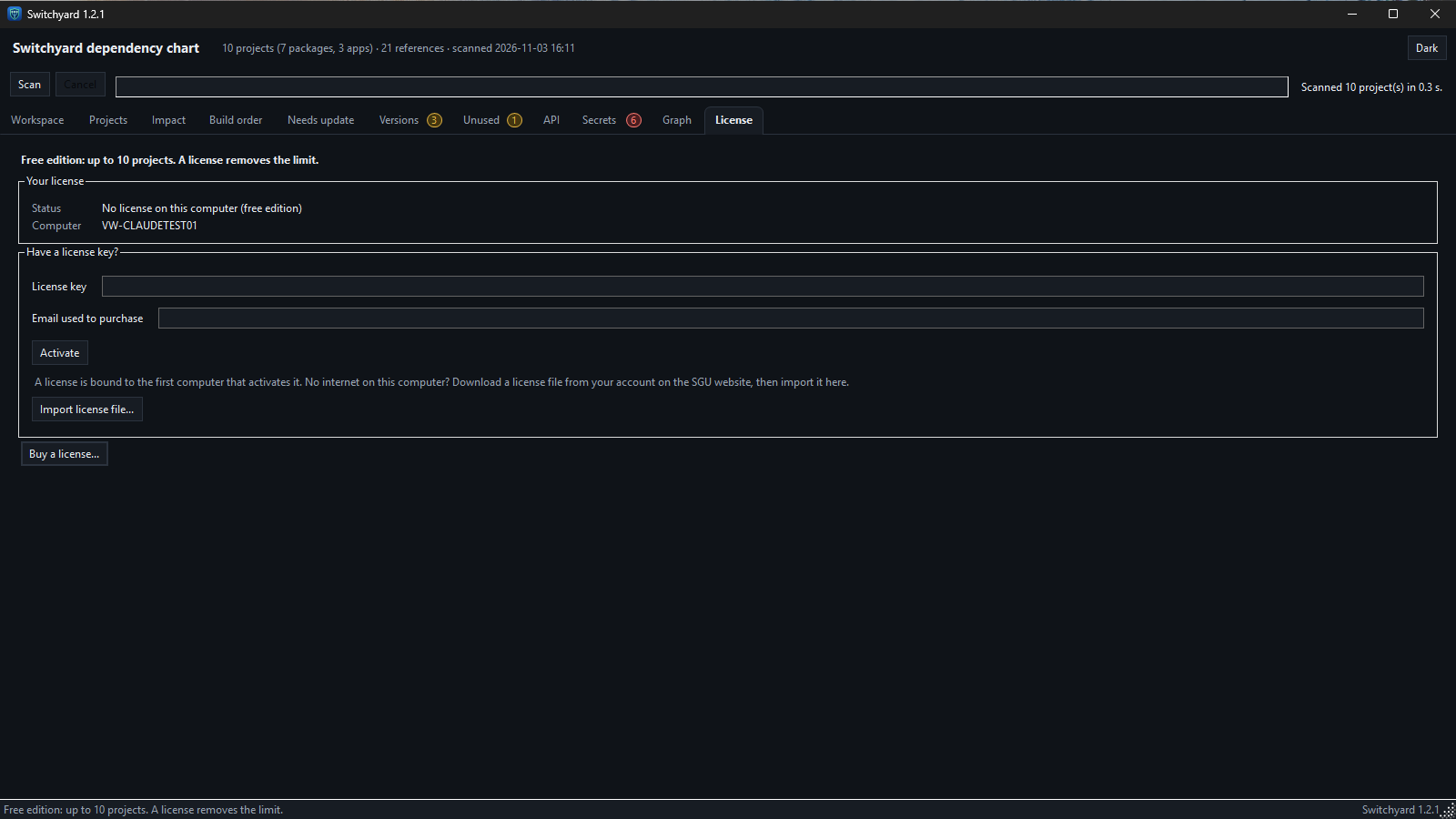
The free edition scans up to 10 projects with no time limit. The License tab shows your license state and takes your key, or an imported license file.
Point it at your repositories
Three steps, in the desktop app or from the command line.
Choose the folders
Give it the folders where your repos are cloned and the name prefix your internal packages share.
Scan
It reads the project files (nothing is built or run) and draws the dependency graph.
Ask your question
Pick a project and see what a change touches, look at the build order, or export the results as CSV or Markdown.
What it does not do yet
This first version is read-only on purpose: it does not bump versions, commit, push or start a build. Azure DevOps is the only supported feed and build system for the "Needs update" check today; the scan, impact, build order, versions, unused, API and secrets views need no Azure DevOps at all.
Questions
Short answers to the things people ask first.
Does it send my code or project details to you?
No. Switchyard reads your repositories on your own computer. Project names, versions, references and the results never leave it. The only network traffic to us is the license check described in our privacy policy.
Will it change my repositories?
No. It only reads project files. It never edits a project file, commits, pushes or starts a build. The one thing it can write inside a repository is git's own tag list, and only if you tick the 'Fetch tags' box for the Needs update check.
What is the Azure DevOps token for?
Only for the optional Needs update check. A read-only token lets Switchyard ask your package feed and your Azure DevOps builds what is published and what last built. It is stored in the Windows Credential Manager, sent only to your feed host and to dev.azure.com, and never shown or written to a file.
Does it work with GitHub or other build systems?
Not yet. The scan and every view that works from project files are independent of where your code lives. The feed and build checks support Azure DevOps today.
What does the free edition include?
The same program, limited to scans of up to 10 projects, with no time limit and no sign-up. A license removes the limit.
Is there a trial?
No trial is needed: the free edition is the full program for up to 10 projects, for as long as you like. Buy a license when you need to scan more.
How much does a license cost?
A Switchyard license is $49 per year per installation, one installation per purchase. See the Products & Services page to buy it. After you buy, enter your license key and purchase email on the License tab (or import a license file on a computer with no internet).
Also from Solutions Group Unlimited: GitRepoWatcher, uncommitted and unpushed Git work alerts and remote SQL Server DBA services.
Plan the release before you start it.
See what your next package change touches, from the project files you already have.
View Products & Services