
All your server logs in one searchable place.
LogTrawler pulls Windows Event Logs, log files and SQL Server logs from many servers into one store on your own network, so you can search them together instead of signing in to each server. Nothing is installed on the servers, and nothing goes to the cloud.
Price: $59 / year - includes 2 licenses
Windows. The free 7-day trial starts from inside the app and needs an email address. Buy a license afterwards; pricing is on Products & Services.
The answer is in a log. Which server, which log, and is it still there?
Something failed overnight. The clue is in an Event Log on one server, an IIS log on another, or the SQL Server error log that was cycled this morning. You sign in to each server in turn, open each viewer, and search them one by one.
LogTrawler reads those logs for you on a schedule and keeps them in one store on a computer you choose, so one search covers every server and every log you added.
What LogTrawler collects
Three kinds of sources, read from the servers you list. Nothing is installed on them.
Windows Event Logs
Application, System and any other event log, on this computer or read remotely from other Windows servers.
Log files
Files on local paths and UNC shares, with 51 named log types to pick from, including IIS, Apache, nginx, Traefik, PostgreSQL, MySQL, Windows CBS, DHCP and Firewall logs, ConfigMgr and Docker.
SQL Server
The error log, SQL Agent log and job history, backup history, Database Mail, the default trace, system_health, AlwaysOn health, audit files and SSIS logs, read with read-only queries.
Search them together
Filter by time, source, server, level and log type, and search the message text. Hide the messages you never need to see again; they come back with one tick.
SQL Server errors explained
A record with a SQL Server error number shows that error's text from the server's own sys.messages catalogue, so a bare error number explains itself.
No database to run
Logs are kept in local SQLite files, one per day, deleted after the retention period you set. Export a search to CSV or days to a zip file.
See it in action
All servers, logs and messages shown are made-up demo data.
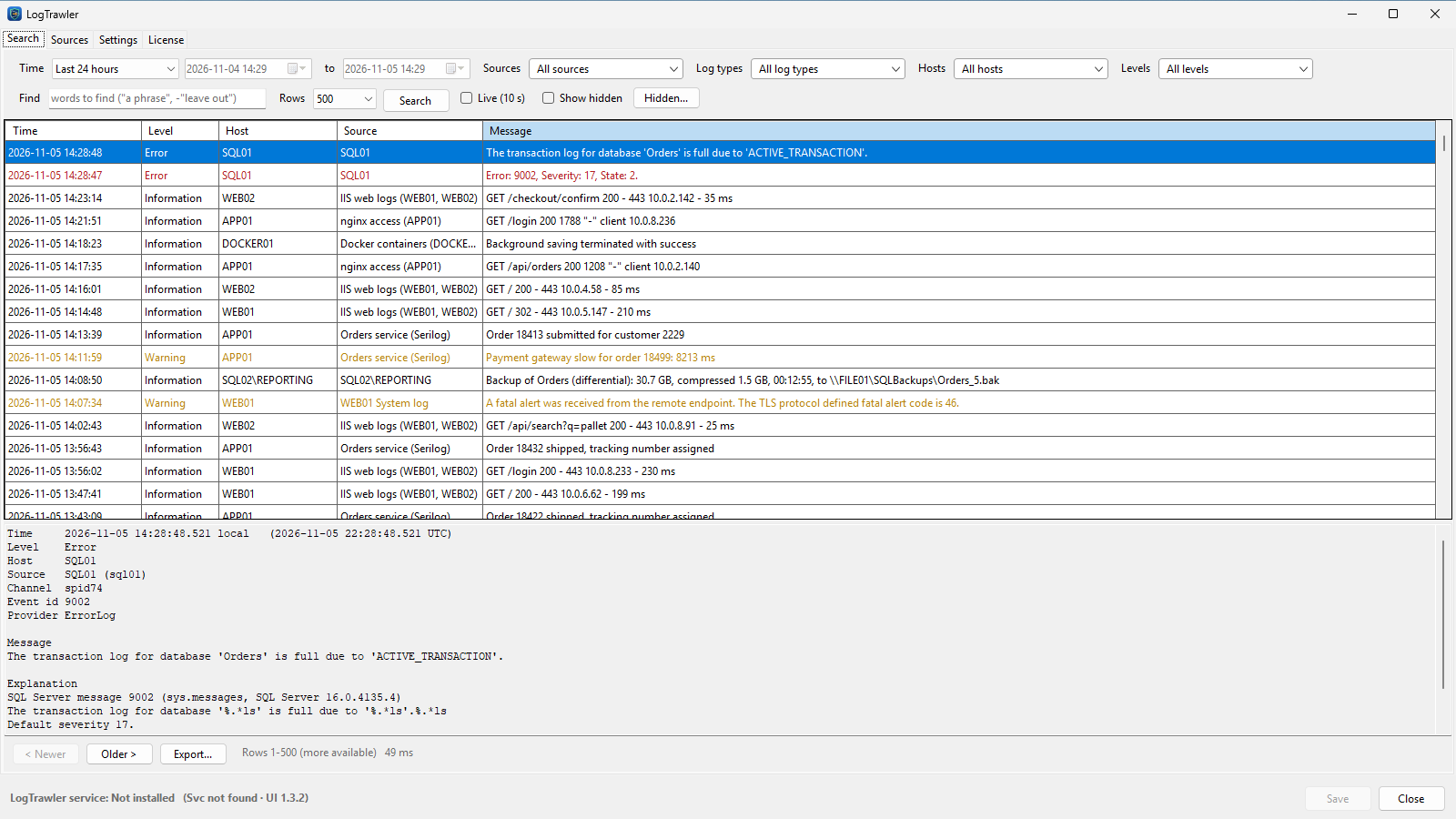
One search across every server
SQL Server error logs, IIS and nginx logs, an app's Serilog file and the Windows System log, newest first in one grid. Warnings and errors stand out, and the pane below shows the whole record.
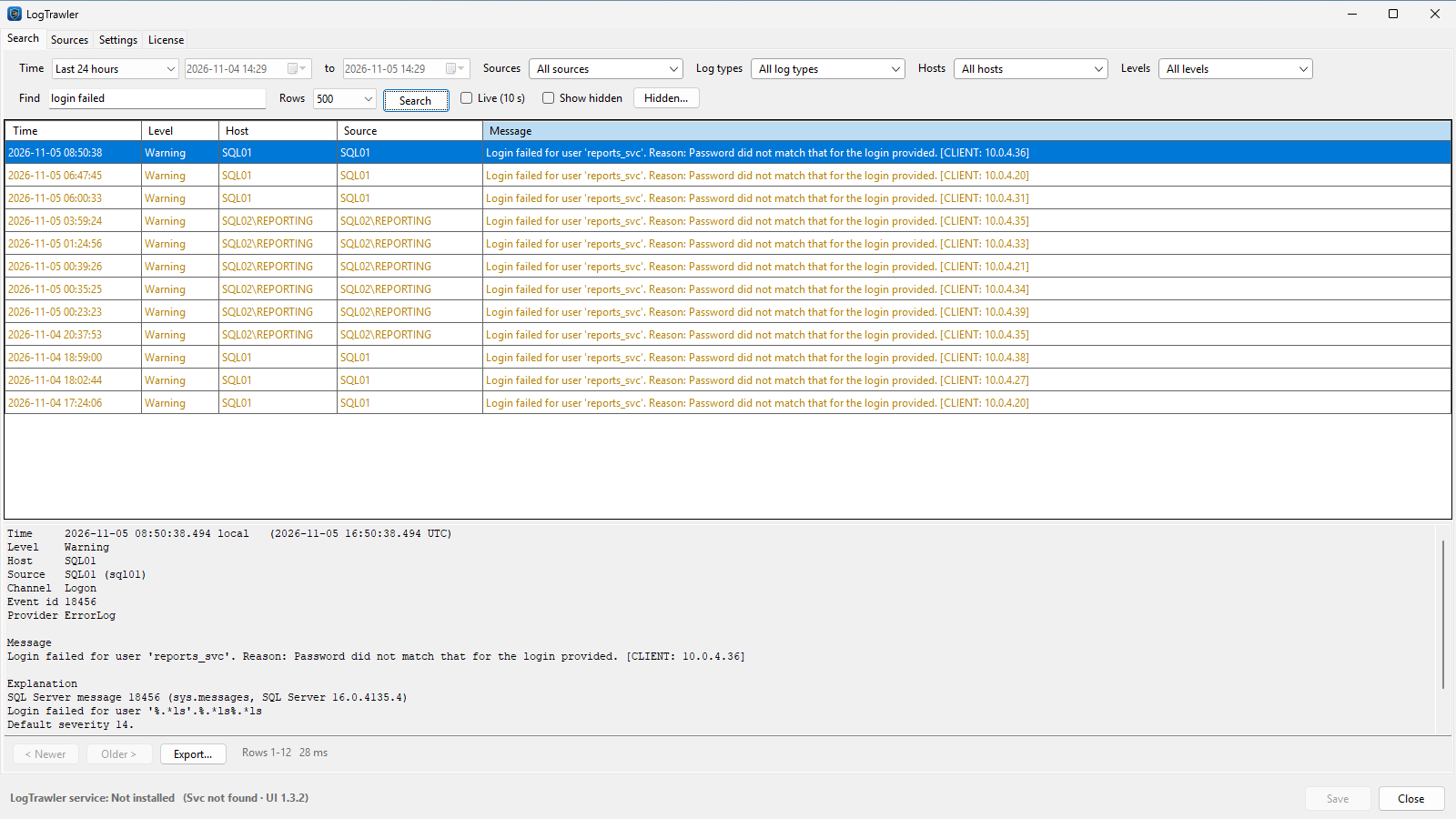
Find a problem in seconds
Type a few words and every source is searched at once. Here "login failed" finds the same failing login on two SQL Servers, and the explanation shows what SQL Server error 18456 means.
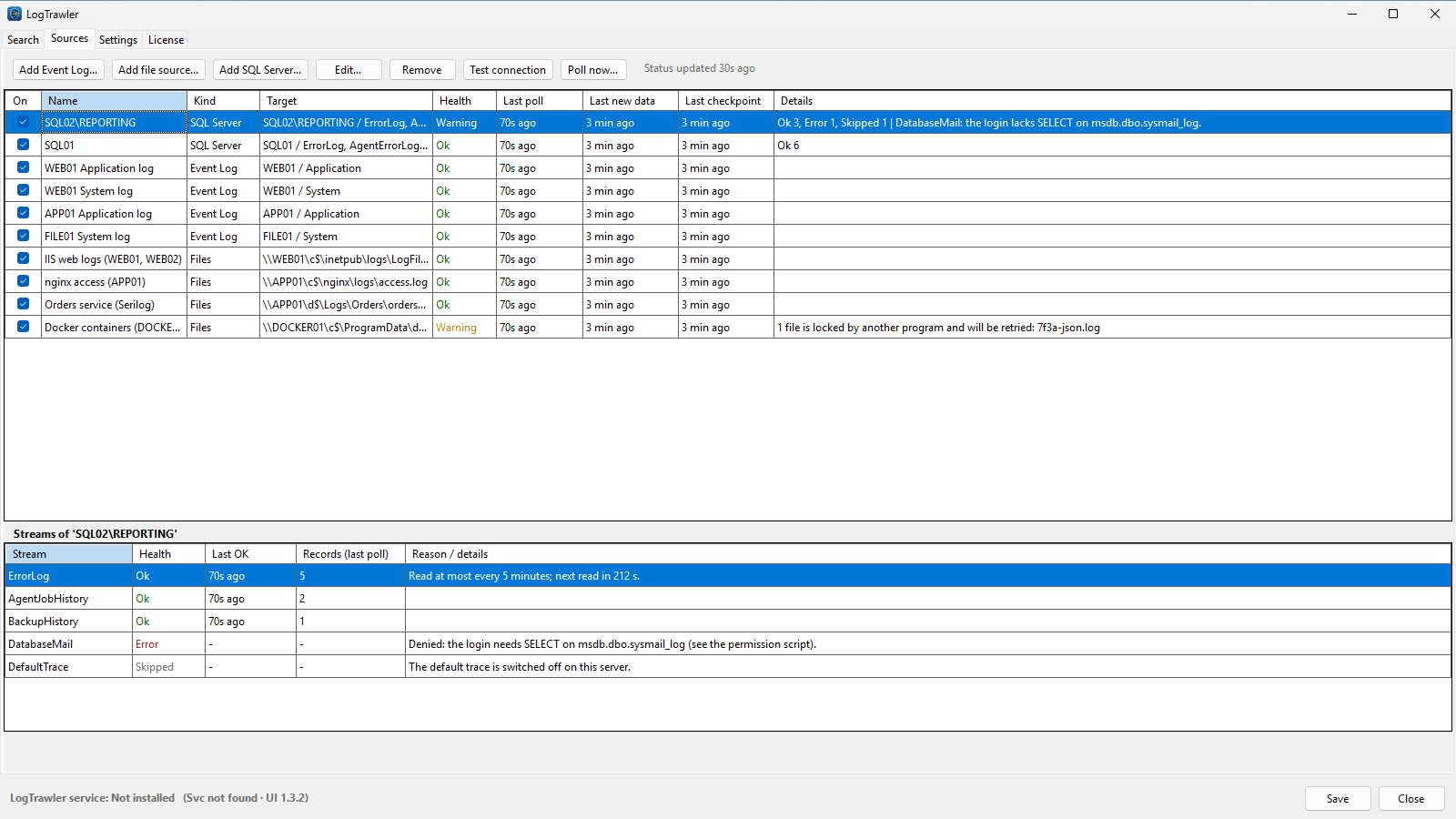
See that every source is healthy
Each source shows when it was last read and whether it is working. For SQL Server you see every log it reads and, when one cannot be read, exactly which permission the login is missing.
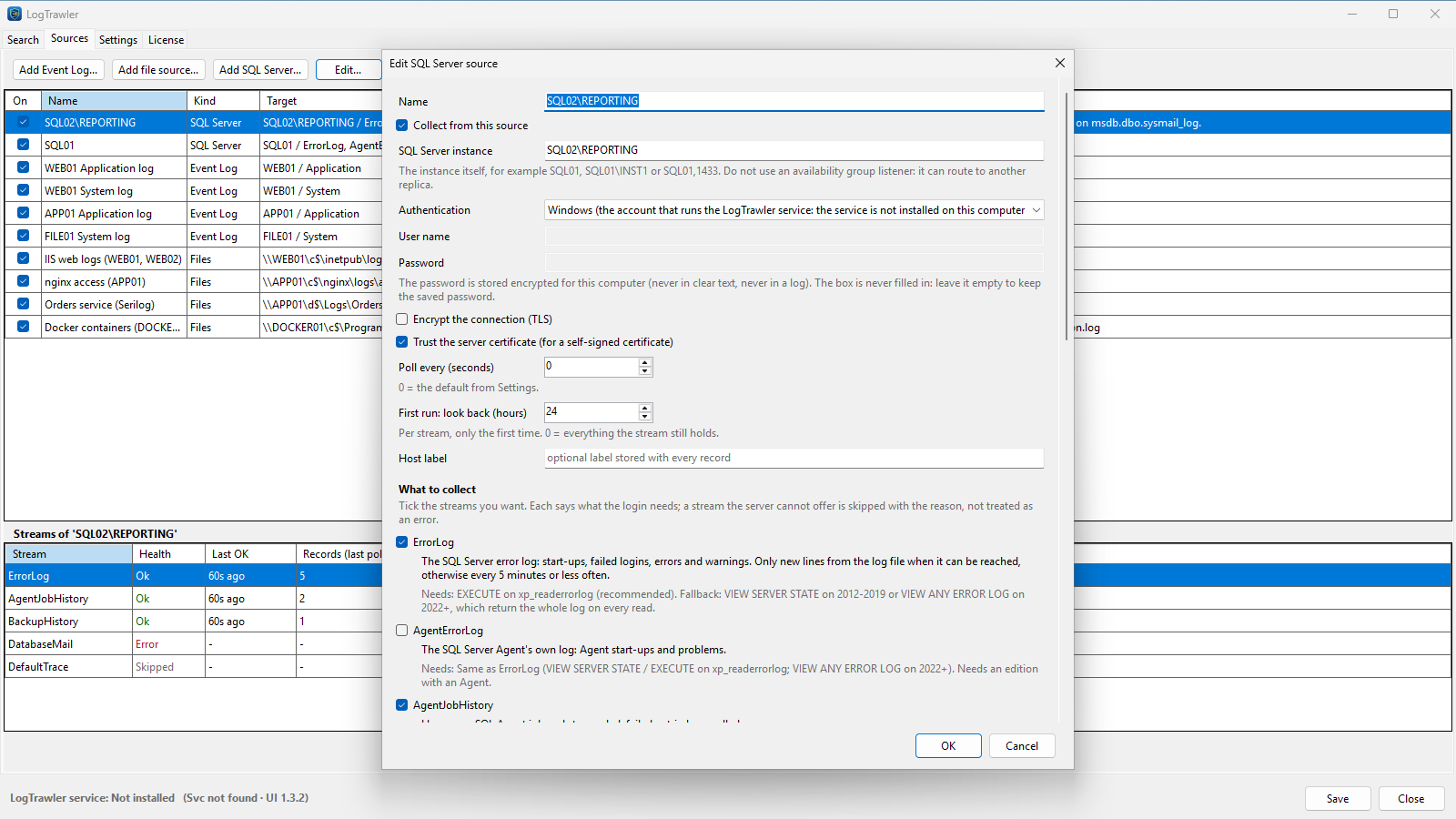
Pick what to read from SQL Server
Tick the logs you want. Each one says which permission it needs, and Test connection checks them before you save.
Set it up once
Three steps, and then it keeps reading your logs on its own.
Install it on one computer
LogTrawler runs as a Windows service with a tray app. That computer reads the logs; nothing is installed on the servers.
Add your sources
Add event logs, log file paths and SQL Server instances. For SQL Server, a script for your DBA grants only the read rights each log needs.
Search
The service reads new entries on a schedule, or at once when you click Poll now, and the Search tab finds them across every source.
Questions
Short answers to the things people ask first.
Does it send my logs to you?
No. LogTrawler has no cloud part: the logs it collects stay in its store on the computer where it runs. What it sends to us is the license check and the email address you give to start a free trial, plus program error messages (never the collected logs) unless you switch that off in Settings. See our privacy policy.
Do I have to install anything on my servers?
No. LogTrawler reads event logs remotely, log files over local paths or UNC shares, and SQL Server with read-only queries. For remote event logs the account LogTrawler runs as needs to be in the server's Event Log Readers group and the Remote Event Log Management firewall rule must be open.
What does it need on SQL Server?
Read-only access. Each SQL Server log needs its own minimum permission, and LogTrawler comes with a script your DBA can review and run to grant exactly those. The Test connection button shows which logs the sign-in can read before you save.
Do I need a database server?
No. LogTrawler keeps the logs in local SQLite files, one per day, and deletes days older than the retention period you set.
What does one license cover?
Each license covers one installation of LogTrawler. One purchase includes 2 licenses.
Can I try it first?
Yes, with a free 7-day trial you start from inside the app. An email address is required to start the trial; we also use it to send news and offers about LogTrawler, and every message has an unsubscribe link.
How do I buy it?
See the Products & Services page for pricing and purchase options.
Also from Solutions Group Unlimited: SQLParity, which keeps SQL Server logins and Agent jobs the same across servers and remote SQL Server DBA services. Guide: search Windows Event Logs on multiple servers at once.
Stop signing in to every server to read its logs.
Let LogTrawler bring them to one place, on your own network.
Price: $59 / year - includes 2 licenses
Windows. The free 7-day trial starts from inside the app and needs an email address. Buy a license afterwards; pricing is on Products & Services.